
Monkey Evolution Controls
The input list is short, which is why a failed drag feels like a bug. It usually is not. This page is the finger map: what a tap does, what a drag does, and which icons open rooms that do not merge anything.
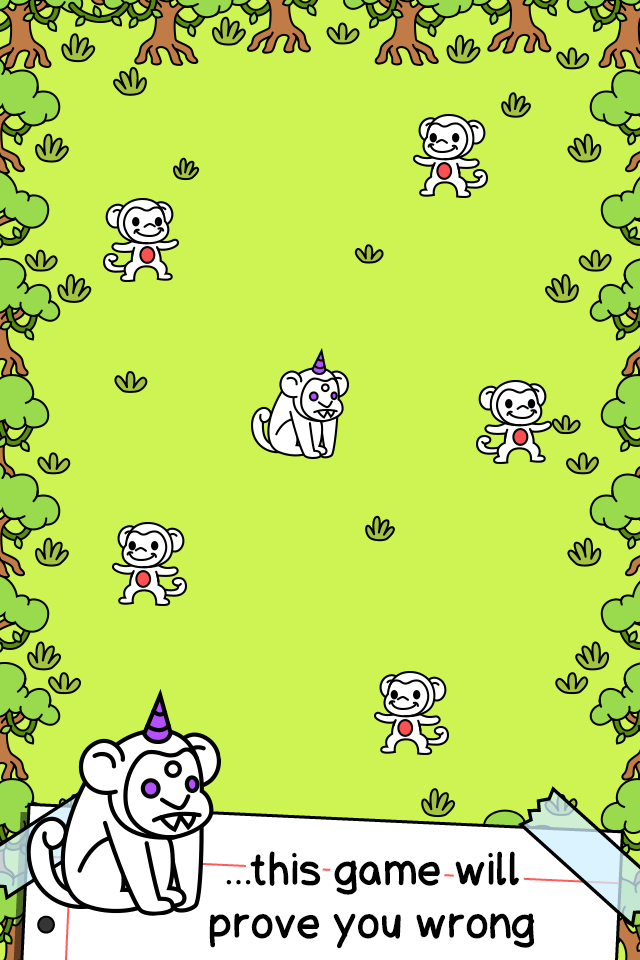
On the grass
A single tap on a monkey pops coins and ticks the coins-per-second counter at the top of the screen. A press-and-drag that ends on a matching monkey spends both sprites and spawns the next mutation at the drop point. A drag that ends on empty grass only moves the unit. A drag that ends on a different species, an egg, or a crate does nothing useful and is the main “broken controls” report from new players. Re-read how to merge if every drag fizzles.
There is no dedicated attack button, no skill bar, and no movement stick. The jungle is a tabletop. You are arranging tokens, not steering an ape through a platformer. That also means fat-finger misses matter: dropping a rare pair onto an Impostor wastes the gesture and leaves the board messier.
Menus the showcase actually opens
- Animal Shop: buy the current lowest monkey. One tap to open, one tap to purchase if you can afford it.
- Upgrades: a list of coin and premium sinks. Scroll, tap a row, confirm.
- Dressing Room: hats and trinkets on the selected species.
- Coloring Room: palette painter for the same species.
- Pantheon: later god board. Different currency, different rules.
- Options, achievements, stats, Monkeypedia: account and collection, not combat. Stats even split jungle Records from Alien Records (UFO abductions and alien eggs).
The Caining Gaming showcase labeled those rooms in order, and the iOS gameplay below shows the same tap-and-drag board on a phone. If your build shows Dressing Room or a COLOR painter inside the Customization Shop, those are the cosmetic editors, not extra stages. Cosmetic steps are on the customization page. Rainbow Power is a left-side icon on the jungle, not a combat skill.
Phone, tablet, and “controller” claims
Amazon’s listing mentions game controllers because Fire TV storefronts like to advertise pads. The merge game itself is a touch board. A cursor can impersonate a finger. A D-pad cannot impersonate a drag onto a specific sprite. Play it as a tap-and-drag title even if a store page listed a remote.
On a small phone, zoom your attention, not the camera: park high-value pairs away from the shop button so a purchase tap does not eat a merge. On tablet, use the extra grass. Stage creature caps still apply; extra screen size does not raise the cap. Check the stage guide before you treat empty pixels as extra inventory.
Gestures that feel missing on purpose
There is no undo for a bad merge. There is no multi-select. There is no “combine all.” Those omissions are why the merge calculator exists: you plan the doubling on paper because the client will happily let you fuse the last two mid-tiers you needed as feeders. Pinch-zoom is not a documented control. If a device adds it, do not rely on it for precise drops.
Recreate Universe is a confirmation dialog, not a swipe. Treat it like deleting a campaign: read the Pantheon unlock guide before you tap through the warning. After prestige, controls do not change. Prices, gods, and which monkey the shop sells do.
Frequently asked questions
Quick answers about the merge loop, Pantheon, and codes.
Why will my monkey not merge when I drag it?
The target is a different species, an Impostor, or a god. Matching silhouettes is not enough; the identity has to match.
Is there a keyboard layout?
No official PC key map. Emulators and Apple silicon Macs still expect pointer drags.
Does tapping the background do anything?
Empty grass is only a drop zone. Coins come from creatures, not from clicking trees.